Chat & Messaging
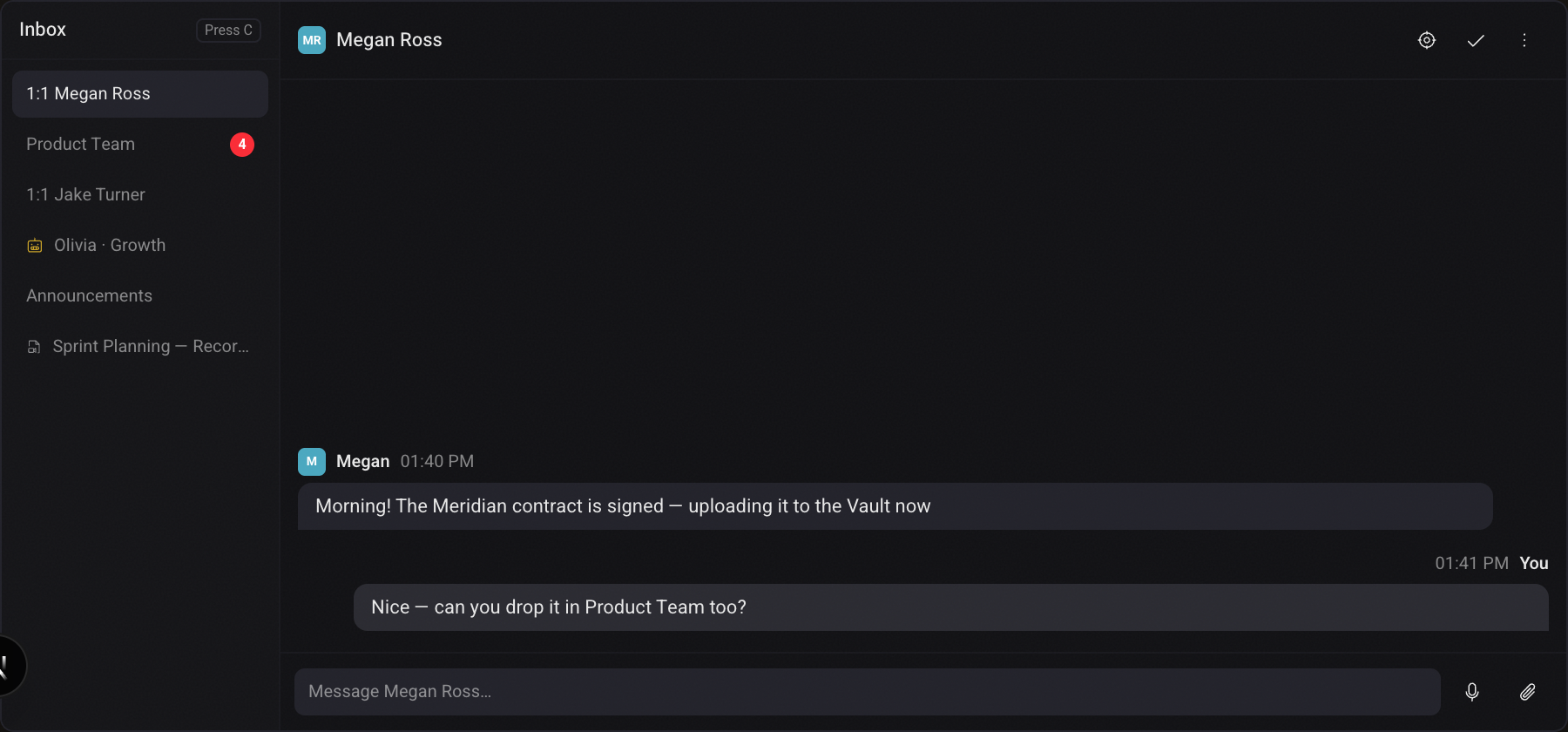
Every conversation in deskmy lives in your inbox — one-on-one chats, group conversations, space chats during meetings, and sessions with AI agents. Chats are persistent and searchable, so decisions and files never disappear.
What you can do
- Message anyone — click a teammate's avatar or open the inbox to start a 1:1 conversation.
- Create group conversations — pick the participants, name it, and keep everything in one thread.
- Send more than text — attachments, links with previews, reactions, and formatted messages.
- Chat inside a space — each space has a conversation only its occupants see — perfect for side chatter during a meeting.
- Talk to agents — conversations with AI agents work like any other chat.
- Catch up fast — unread badges show what you missed; history is searchable.
- Pipe in external notifications — admins can connect webhooks so outside tools post updates into a conversation.
Starting a conversation
- Click a teammate's avatar on the map, or open the inbox and start a new conversation.
- Choose direct, group (select the participants), or an agent.
- Type and send — the thread stays in your inbox for good.
Group conversations can include any mix of teammates, and agent conversations keep the full session history so the agent remembers context.
Space conversations
Every space carries its own chat. Messages posted there are visible to the people in that space — useful for sharing a link mid-meeting or running a written backchannel during a broadcast.
Bringing external notifications in
Admins can configure webhooks that let external services post messages into a conversation — for example CI alerts, monitoring pings, or notifications from your own tooling. The integration is configured in your workspace settings under integrations.
Common questions
How do I find an old message? Use search, or scroll the conversation — history is preserved, including in archived conversations.
Can I send files? Yes — drag or attach files in the composer. Images and links get inline previews.
What happens if I'm offline? Unread badges accumulate. When you're back, the inbox shows everything you missed.
Can an external tool post into our conversations? Yes — an admin creates a webhook integration, and the service posts messages into the chosen conversation automatically.
Common use cases
- Project thread for a feature team — one group conversation holds decisions, files, and agent output in one place.
- Quick question across the office — click a teammate's avatar and ask in a 1:1 instead of scheduling a call.
- Alerts where the team already looks — a webhook drops build failures or uptime alerts straight into the team conversation.