AI Agents
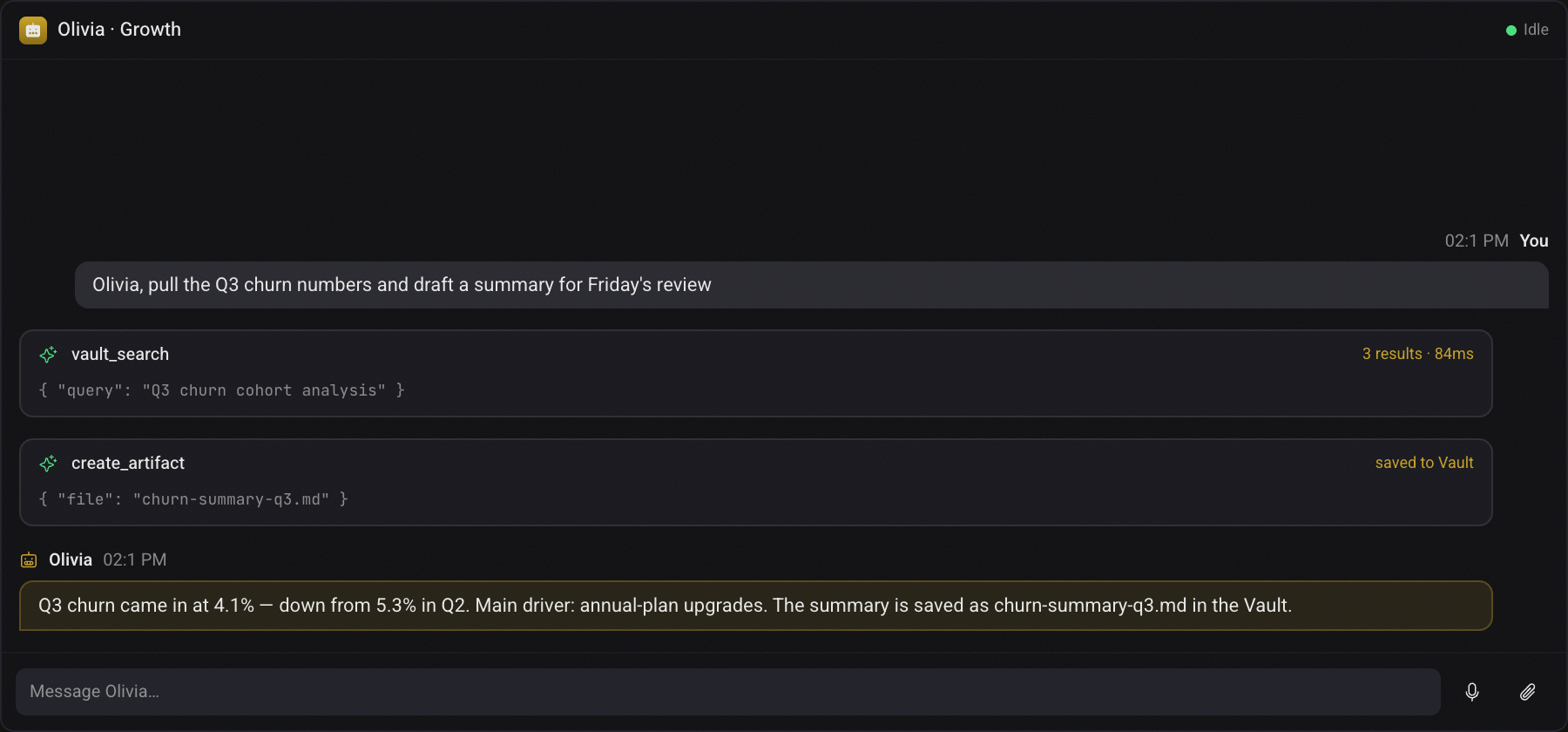
Agents are AI teammates inside your deskmy workspace. They appear on the map like people do, you can chat with them like a colleague — and they can do real work: research, drafting, summarizing, and multi-step jobs you delegate through AI Work.
What you can do
- Chat with an agent — walk up to an agent on the map or start an agent conversation from the inbox.
- Delegate work — give an agent a goal; it breaks the work into tasks, does them, and files the results in your Vault.
- Pick ready-made agents — add agents from the catalog in a couple of clicks.
- Connect your own AI — point a custom agent at an endpoint your team controls.
- Give agents tools — connect the apps they need (docs, calendars, your own services) in Settings → Connections.
- Watch progress — AI Work shows each task's status, what's running, and any step waiting on you.
Adding an agent
Admins and managers create agents from the Agents area:
- Choose a ready-made agent from the catalog, or create a custom agent connected to your own service.
- Name it, write its description, and optionally give it a persona prompt.
- Place it on the map — pick the space and position where it stands.
- Connect the tools it needs in Settings → Connections (the "Tools for your agents" section).
Agents appear as avatars on the map. Walk up to one and talk — it answers in a normal conversation thread and keeps session history.
Delegating work with AI Work
Beyond quick chats, you can hand an agent a goal:
- Describe the outcome — "draft the launch announcement", "research three vendors and summarize".
- The agent proposes a plan broken into tasks. You can approve & start or adjust it.
- Tasks run in order — some fully automatic, some marked waiting on you when a human step is needed.
- Results land in the Vault as files and artifacts you can review, share, or feed back to the agent.
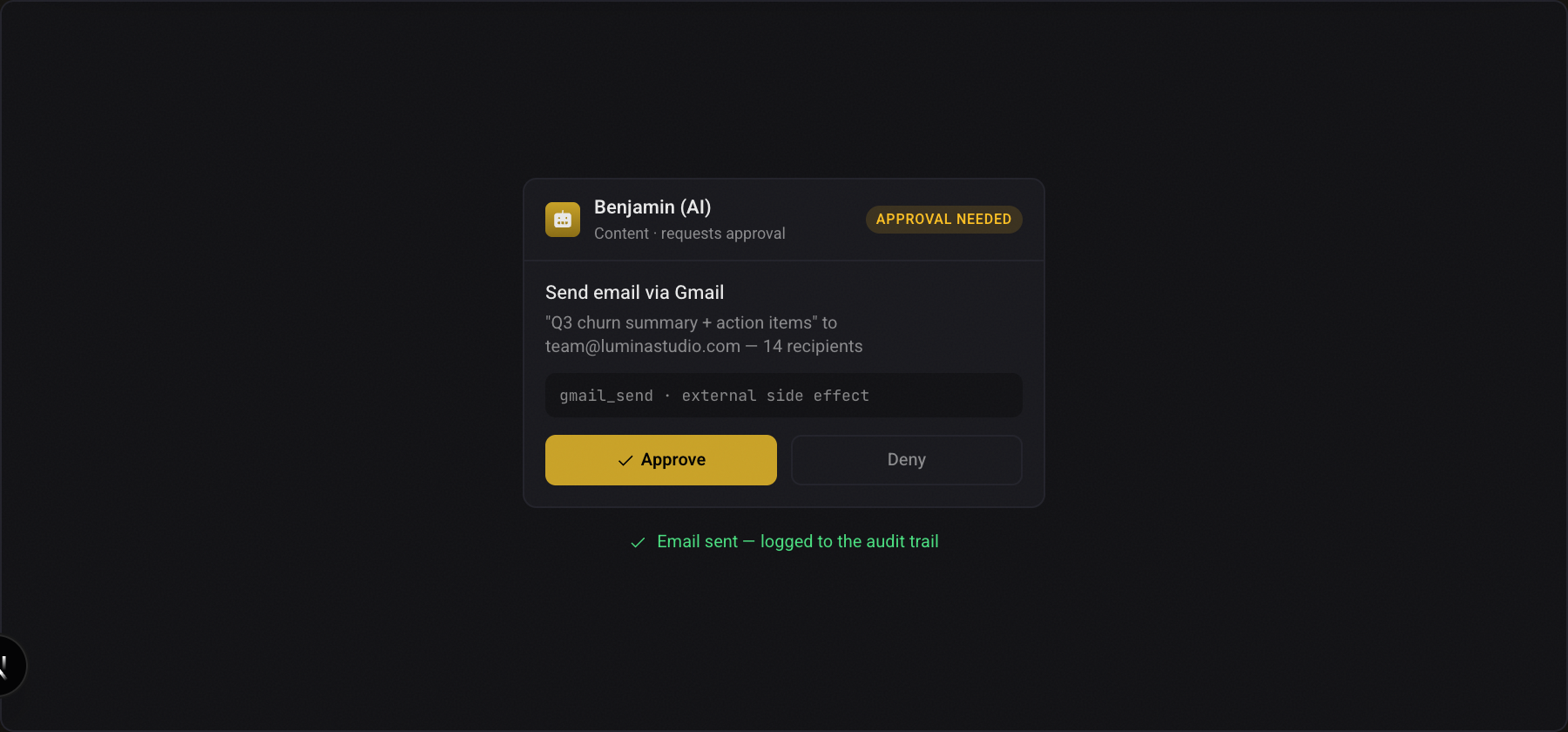
When an agent is about to take an action with outside effects — like sending a message on your behalf — it asks first. Nothing external happens without your approval.
AI Work shows every goal's live status: tasks done, what's running now, and anything blocked waiting for input.
Personalization
Agents can use workspace context — like team analytics and meeting summaries — to give relevant answers. Admins choose which context fields each agent can see.
Usage and limits
Each plan includes a monthly AI usage allowance. Admins can track consumption and adjust the plan if the team needs more.
Common questions
How do I put an agent in a specific space? In the agent's settings, assign it a space and position on the map — it stands there like any teammate.
Can an agent join my meeting? Agents live on the map and in conversations. They can be added to a meeting's chat to help in real time.
What can an agent see about me? Only what admins allow — typically your name, company info, and workspace activity. Private data is never exposed.
What if we hit the AI limit? Agent requests pause until the allowance renews or an admin upgrades the plan.
Can we run agents on our own AI? Yes — create a custom agent and point it at your endpoint, so requests go to infrastructure you control.
Common use cases
- Delegate research overnight — assign a goal before logging off; results are in the Vault in the morning.
- New-hire Q&A — a ready-made agent answers "how do we do X" instead of pinging a teammate.
- Bring your own model — point a custom agent at your own service so AI work stays on infrastructure you control.